



|
Name |
Reolink APP |
|---|---|
|
Google Play Link |
GET IT ON
Google Play
|
|
Category |
Communication |
|
Developer |
Reolink Innovation Limited |
| Last version | 4.63.0.3.20260924 |
|
Updated |
|
|
Compatible with |
Android 8.0+ |
Introduction to Reolink APP APK
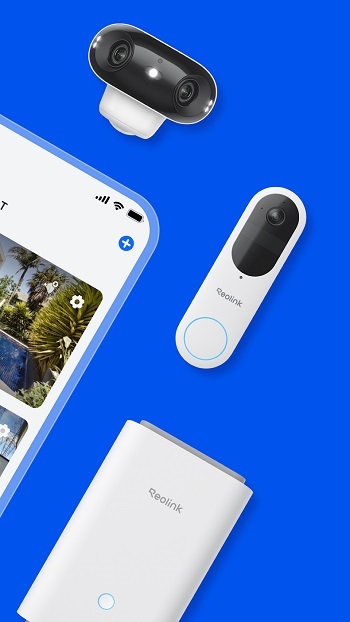
Reolink APP APK is a mobile security camera app, not a game. It works as a surveillance and remote monitoring tool for Reolink cameras and NVR systems. The app gives users a simple way to check live video, review recordings, and manage camera features from a phone or tablet.
Its main job is to help people watch over homes, shops, offices, garages, or other spaces without standing next to the camera system. After setup, users can view live feeds through Wi-Fi or mobile data, which is handy for checking a front door, parking area, or sleeping baby while away from home. It is built for practical use, so the focus stays on control and visibility instead of flashy extras.
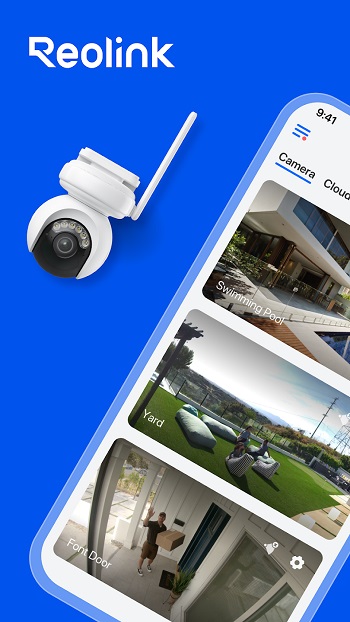
One of the strongest parts of the app is how many viewing options it puts in one place. Users can open several camera channels on the same screen, play back saved footage from an SD card or NVR hard drive, and capture screenshots or video clips from live view. PTZ camera support is also included, so compatible cameras can be moved left, right, up, or down from inside the app. For people with a larger camera setup, that saves time and a few small headaches.
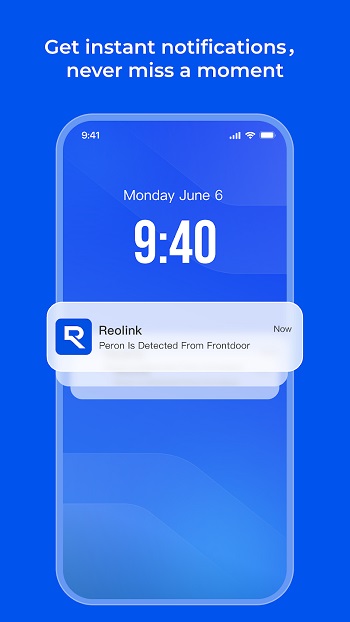
Alerts are another useful feature. The app can send push notifications or emails when motion detection is triggered, which helps users react faster when something unusual happens. Recording schedules can also be set for regular recording or motion-based recording. That gives the app a more flexible feel, since users can adjust it to match quiet homes, busy storefronts, or places with lots of foot traffic.
The biggest advantage is convenience. Reolink APP APK lets users keep an eye on important spaces without needing to sit in front of a monitor all day. The interface is generally easy to understand, so most people can learn the basics without a long setup drama. It also suits users who already own Reolink devices and want a central place to manage live view, playback, alerts, and camera controls from one screen.
There are a few limits to keep in mind. The app is designed for Reolink cameras and recorders, so it is not a universal tool for every brand. Some features also depend on the camera model, which means PTZ control, playback options, or channel layouts may vary. On smaller phones, multi-camera viewing can feel crowded, especially when too many feeds compete for space at once.
This app fits homeowners, small business owners, and anyone who wants quick mobile access to their security system. It is especially useful for people who travel often, manage property remotely, or simply like checking in during the day. For users already in the Reolink ecosystem, it covers the basics well and adds enough control to make daily monitoring easier.
FAQs Reolink APP
What is Reolink APP APK used for?
+
Reolink APP APK is used to monitor Reolink security cameras and NVR systems from a mobile device. It lets users watch live video, check recordings, receive motion alerts, and manage camera controls remotely.
Can I watch live camera feeds with Reolink APP?
+
Yes. Reolink APP supports live viewing over Wi-Fi or mobile data, so users can check connected cameras from home or while away.
Does Reolink APP support playback of recorded videos?
+
Yes. Users can play back recorded footage stored on a camera’s SD card or on a connected NVR hard drive through the app.
Who should use Reolink APP?
+
Reolink APP is suitable for homeowners, small business owners, and property managers who want mobile access to their Reolink surveillance system.
What are the main limits of Reolink APP?
+
The app mainly works with Reolink devices, so it is not ideal for mixed-brand setups. Some features also depend on the camera model, and multi-screen viewing can feel tight on smaller phones.
Discover More Interesting Apps
-

Firefox
v157.0
237.27 Mb
Updated -
Brave Beta
v1.98.47
291.49 Mb
Updated -
Mod
Snapchat
v14.26.0.39
194.07 Mb
Updated -
Watch Duty (Wildfire)
v2026.9.23
42.90 Mb
Updated -
Mod
Yahoo Mail
v26.38.0
227.01 Mb
Updated -
WhatsApp Business
v2.26.38.73
158.00 Mb
Updated -
Discord
v347.12 - Stable
153.39 Mb
Updated -
Messenger
v580.0.0.49.91
83.87 Mb
Updated -
Telegram
v12.10.5
57.06 Mb
Updated -
Opera Browser
v102.2.5206.90449
224.91 Mb
Updated










Share Your Thoughts